
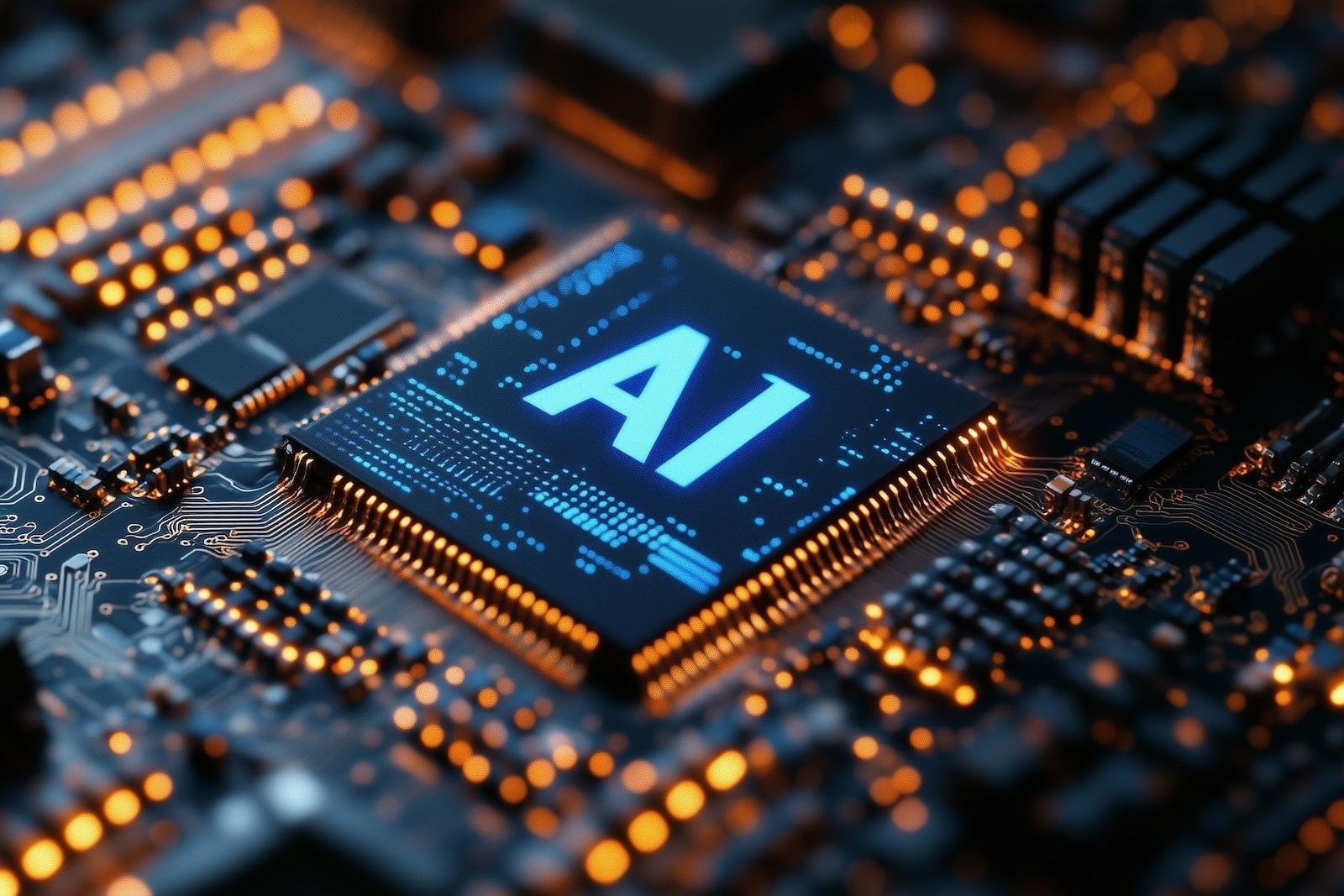
AI PCs vs. Traditional Gaming PCs: Which Is Better in 2026?
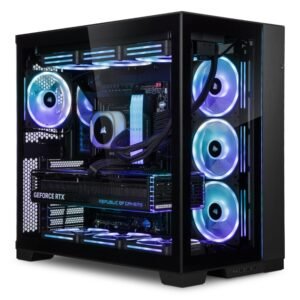
AI PCs are changing what computers can do, but does that make them a better choice than a traditional gaming PC? We compare local AI processing, graphics performance, gaming FPS, hardware requirements, power consumption, and price to help you decide which type of computer is worth buying in 2026.
Building or buying a PC in 2026 comes with more choices than ever. Graphics cards are becoming increasingly capable, processors are getting smarter, and artificial intelligence is finding its way into everything from photo editing to software development.
This has created a new question for PC enthusiasts: should your next computer be built specifically for gaming, or should you invest in a system designed to run artificial intelligence locally?
AI PCs are attracting attention because they can perform certain AI tasks directly on the computer rather than sending every request to an online service. Meanwhile, traditional gaming PCs continue to offer powerful graphics processing, high frame rates, and the flexibility needed to play demanding games.
The interesting part is that these two categories are not as different as their names suggest.
A powerful gaming PC can already run many AI applications, especially when it has a modern graphics card with sufficient video memory. Likewise, an AI-focused computer can play games, provided its graphics hardware is powerful enough.
The real difference comes down to the hardware inside the machine, the software you plan to use, and what you expect to get from your investment.
In this guide, we’ll compare AI PCs and traditional gaming PCs, explain the advantages of running AI locally, and help you decide which option makes the most sense for your needs.
What Is an AI PC?
An AI PC is a computer designed to support artificial intelligence applications using specialised processing hardware.
Many modern AI PCs include a central processing unit (CPU), a graphics processing unit (GPU), and a neural processing unit (NPU). Each component can handle different types of computing tasks.
The CPU runs the operating system and general applications. The GPU handles graphics and can accelerate demanding AI workloads. The NPU is designed to process supported AI operations efficiently, often using less power than running the same workload on a CPU or GPU.
The important distinction is that an AI PC does not necessarily need an internet connection to run every AI feature.
With compatible software and a suitable model, it can perform tasks such as summarising documents, transcribing audio, processing images, and running certain language models directly on the device.
Microsoft’s Windows AI development platform, for example, supports local inference through compatible hardware and software frameworks. The exact capabilities depend on the computer, model, and application being used.
What Can an AI PC Do?
An AI PC can support a range of useful applications, including:
- Running compatible AI chatbots locally.
- Generating or editing images using supported software.
- Transcribing audio and converting speech into text.
- Removing backgrounds from photos and videos.
- Improving audio quality during calls and recordings.
- Assisting with coding, writing, and document analysis.
- Running selected machine-learning models without sending every request to a cloud service.
For creators and professionals, these features can save time and provide more control over how information is processed.
However, not every AI PC can run every AI model. Large models may require substantially more memory and computing power than a typical thin-and-light laptop can provide.
An NPU is useful, but its presence alone does not guarantee that a computer will deliver impressive performance in every AI application.
What Is a Traditional Gaming PC?
A traditional gaming PC is built primarily to deliver strong performance in video games.
Its most important components typically include a capable CPU, a dedicated graphics card, sufficient RAM, fast storage, and a cooling system that can handle sustained workloads.
The graphics card is particularly important because it renders the images displayed on your monitor. A more powerful GPU can often deliver higher frame rates, better graphics settings, and smoother gameplay, although performance also depends on the processor, game, resolution, and settings.
Gaming PCs are also highly customisable. Buyers can select their preferred graphics card, processor, motherboard, memory, storage, and cooling solution.
This flexibility makes them attractive to gamers who want to build a system around specific performance targets, whether that means competitive 1080p gaming, high-refresh-rate 1440p gaming, or demanding 4K gaming.
What Makes Gaming PCs Different?
Gaming-focused systems prioritise several things:
Graphics performance: A dedicated GPU is often the most important component for demanding games.
High frame rates: Competitive players may prioritise processors and graphics cards capable of maintaining high FPS at lower resolutions.
Cooling: Gaming hardware can consume substantial power under load, making good cooling important for sustained performance.
Upgradeability: Desktop gaming PCs often allow users to replace graphics cards, add memory, install more storage, and upgrade other components.
Display compatibility: Gaming systems can support high-refresh-rate monitors, variable refresh rate technologies, and demanding resolutions when the hardware is powerful enough.
A traditional gaming PC does not have to include a dedicated NPU to be useful. Its CPU and GPU may already provide all the computing power needed for gaming and many AI applications.
This is why choosing a computer based only on whether it carries the label “AI PC” can be misleading.
AI PC vs. Traditional Gaming PC: The Main Differences
The following table outlines the main differences between a computer built around local AI workloads and a gaming-focused desktop.
| Feature | AI-Focused PC | Traditional Gaming PC |
|---|---|---|
| Primary purpose | Local AI, productivity, and creative workloads | Gaming and graphics performance |
| CPU | Important for general tasks and model support | Important for game logic and system performance |
| GPU | Depends on the size and type of AI workloads | Usually a major priority |
| NPU | Often included for efficient supported AI tasks | Optional and not essential for gaming |
| Video memory | Important for running many local AI models | Important for graphics quality and high-resolution gaming |
| System memory | May need substantial capacity for larger models | Depends on the games and applications used |
| Gaming performance | Depends on the GPU and CPU | Usually prioritised during component selection |
| Local AI capability | A major design consideration | Possible with suitable CPU, GPU, memory, and software |
| Battery efficiency | Often important for AI laptops | Less important for desktop systems |
| Upgradeability | Depends on whether it is a laptop or desktop | Usually good on desktop systems |
| Best use case | AI applications, development, and productivity | Gaming, streaming, and high-performance graphics |
One important point stands out: an AI PC is not automatically faster than a gaming PC, and a gaming PC is not automatically worse at AI.
The hardware specifications matter far more than the marketing category.
A desktop with a powerful dedicated GPU and plenty of video memory may outperform a lightweight AI laptop in demanding local AI workloads, even if the laptop has a dedicated NPU.
On the other hand, an efficient laptop with an NPU may handle supported background AI features while consuming less power than a desktop running similar tasks on its CPU or GPU.
The best choice depends on the workload.
Running AI Locally: Why It Matters
One of the biggest advantages of an AI-capable PC is the ability to process certain tasks directly on the device.
This is known as local AI inference.
Instead of sending a request to a remote server, the computer uses its own hardware to run a compatible AI model.
That approach offers several potential advantages, particularly for people who regularly work with private information or need to use AI without a reliable internet connection.
1. Better Control Over Privacy
When an AI application processes information locally, the information used for that task may remain on your computer.
This can be useful when working with personal documents, private notes, business files, or sensitive creative projects.
For example, someone who wants to summarise a collection of personal documents may prefer a local model rather than uploading those files to an online service.
However, local processing does not automatically guarantee privacy. Some applications may still send telemetry, account information, or other data over the internet.
Users should check the software’s privacy settings and understand which features operate locally and which rely on cloud services.
2. Less Dependence on the Internet
Cloud-based AI services require a network connection to send requests to remote servers and receive responses.
Local AI can reduce that dependency.
If a compatible model is already installed, you may be able to use it while travelling, working offline, or dealing with an unreliable connection.
This can be particularly helpful for writing assistance, document searches, coding support, and other tasks that do not require current online information.
There is an important limitation, though: local models cannot automatically access the latest news or online data unless they are connected to an appropriate information source.
3. Potentially Faster Responses
Local AI can reduce network delays because information does not need to travel to a remote server for every interaction.
This can make certain tasks feel more responsive, especially when a model runs efficiently on the available hardware.
However, local AI is not always faster than cloud AI.
A large cloud data centre may have much more computing power than a consumer PC. For demanding models, a cloud service may produce results faster than a local system.
The outcome depends on the model, hardware, network connection, and workload.
4. Greater Control Over AI Models
Some local AI tools allow users to download compatible models and run them on their own hardware.
Depending on the model’s licence, this can provide more control over how the software is configured and used.
Developers may also experiment with different models without relying entirely on a single online service.
For technically minded users, this flexibility can be a major advantage.
However, some models have restrictive licences, and running them locally may require additional configuration, software knowledge, and considerable memory.
5. No Per-Request Cloud Inference Charge
Local AI may reduce or eliminate usage charges associated with certain cloud AI services.
Once the hardware and software are available, many local workloads can be run without paying a separate fee for every request.
That does not mean local AI is free.
You still need to account for the cost of the computer, electricity, storage, software, and any paid models or applications you use.
For occasional AI tasks, a free cloud service may be more economical than buying expensive hardware.
For frequent workloads, running models locally may become attractive, depending on the cost and performance requirements.
The Role of NPUs, GPUs, and CPUs in AI Computing
To understand the difference between AI PCs and gaming PCs, it helps to know how their main processors work together.
CPU: The General-Purpose Processor
The CPU manages general computing tasks, including operating system operations, application logic, and many background processes.
It can run some AI models, but performance depends on the model and processor.
For large AI workloads, CPU-only processing can be considerably slower than using a suitable GPU or specialised accelerator.
GPU: The Workhorse for Graphics and Many AI Workloads
The GPU is central to modern PC gaming.
It processes graphics, lighting, textures, visual effects, and other operations required to render a game.
GPUs can also accelerate many AI workloads because they are designed to perform large numbers of calculations in parallel.
This makes a powerful gaming GPU useful for applications such as local language models, image generation, AI-assisted video production, and machine-learning development.
However, GPU performance alone does not tell the whole story.
Video memory capacity, memory bandwidth, software compatibility, and the efficiency of the AI model can all affect the result.
NPU: An Efficient Accelerator for Supported AI Tasks
An NPU is designed to accelerate certain neural-network operations.
In laptops and other power-conscious devices, it can handle compatible AI workloads without placing the entire burden on the CPU or GPU.
This may improve power efficiency for tasks such as background blur, camera effects, supported speech processing, and selected AI features built into the operating system.
But an NPU is not a replacement for a powerful gaming GPU.
An NPU’s advertised AI performance is usually measured using particular workloads and metrics. It should not be directly compared with gaming FPS or assumed to represent the speed of every AI model.
For people who want to run demanding generative AI models, a suitable GPU with enough memory may be more important than the NPU specification.
AI PC vs. Gaming PC: Which Delivers Better Gaming Performance?
If gaming is your main priority, this is probably the most important part of the comparison.
For gaming, the graphics card, CPU, memory configuration, and resolution generally matter more than whether a computer has a dedicated NPU.
An NPU may help with specific supported background tasks, but it does not automatically increase frame rates in every game.
Competitive Gaming at 1080p
Players competing in games such as Counter-Strike 2, Valorant, and Fortnite often prioritise high and consistent frame rates.
At 1080p, some games become more dependent on CPU performance, particularly when aiming for very high frame rates.
A gaming-focused desktop with a suitable CPU, a capable GPU, and fast memory can be an excellent choice.
An AI-focused laptop may still be suitable for competitive gaming, but its performance depends on the actual graphics hardware, cooling, and power limits.
Do not assume that a laptop with an NPU will outperform a gaming laptop with a stronger dedicated GPU.
Gaming at 1440p
For many PC gamers, 1440p offers a strong balance between image quality and performance.
At this resolution, the graphics card often has a substantial influence on FPS, especially when using high graphics settings.
If you own a 1440p high-refresh-rate monitor, you should prioritise a GPU that can deliver the performance your games require.
For example, gamers using 240Hz monitors should consider whether their favourite titles can reach and sustain high frame rates. A 240Hz display does not guarantee 240 FPS.
A gaming-focused PC is usually the more straightforward choice when high-refresh-rate gaming is the primary goal.
Gaming at 4K
4K gaming places a greater demand on the graphics card because it requires rendering substantially more pixels than 1440p or 1080p.
A powerful GPU is especially important for demanding single-player games, ray tracing, and high-quality visual settings.
AI-related graphics technologies can also influence performance. Features such as upscaling and frame generation may use machine-learning techniques to improve the visual experience or increase displayed frame rates on supported hardware.
These technologies can be valuable, but they do not make every AI-capable PC equally good at gaming.
The graphics card must support the relevant features, and the final result depends on the game, implementation, and settings.
Gaming verdict: If you mainly play demanding PC games, spend your budget on the strongest balanced gaming configuration you can reasonably afford. Do not pay extra for an NPU unless you have a practical use for its AI capabilities.
Can a Traditional Gaming PC Run AI Models Locally?
Yes. In many cases, a traditional gaming PC is already an excellent platform for experimenting with local AI.
A modern dedicated GPU can accelerate compatible AI applications, and some gaming desktops have considerably more graphics memory than mainstream laptops.
This can be helpful when running local language models or generating images.
However, the size of the model and the amount of memory available are important.
Smaller, quantised models can often run on modest hardware. Larger models may require much more memory, and some workloads benefit from multiple GPUs or specialised systems.
Why Video Memory Matters
Video random-access memory, or VRAM, stores graphics data and other information required by the GPU.
For local AI, VRAM can hold model weights and other data needed during inference.
If a model does not fit comfortably into available GPU memory, the application may need to use system RAM, offload some work to the CPU, or reduce the amount of data processed at once.
These workarounds can make a model run more slowly.
The exact requirements vary according to model size, quantisation, context length, software implementation, and the task being performed.
A GPU with more VRAM may therefore be a better choice for local AI than a faster GPU with insufficient memory for the model you want to run.
This is also why two graphics cards with similar gaming performance can behave differently in AI applications.
Is an NPU Necessary for Local AI?
No.
A compatible CPU or GPU can run many AI models without a dedicated NPU.
An NPU is valuable when software is designed to use it efficiently, especially for lower-power, sustained AI workloads.
If your goal is to experiment with larger generative AI models, run image-generation software, or develop machine-learning applications, you should check the supported hardware requirements of your preferred tools before making a purchase.
For some workloads, GPU memory and software support will be more important than the presence of an NPU.
Can an AI PC Handle Gaming, Streaming, and Content Creation?
Absolutely, provided the computer has sufficiently powerful graphics hardware and a suitable CPU.
The challenge is that the term AI PC covers a broad range of products.
A thin laptop with an efficient processor and integrated graphics is very different from a high-performance desktop designed for local AI development.
Both may support AI applications, but their gaming performance can differ dramatically.
AI PCs for Streamers
AI features can be useful for people who stream games or produce videos.
Depending on the software and hardware, AI-assisted tools can help with:
- Removing backgrounds during live streams.
- Filtering unwanted microphone noise.
- Improving camera framing.
- Generating captions and transcripts.
- Editing footage more efficiently.
- Creating graphics and promotional material.
Some tasks can run on an NPU, while others rely on the CPU, GPU, or cloud services.
The best solution depends on which tools you use and whether those tools support your hardware.
AI PCs for Video Editors
Video editors may benefit from AI-powered tools that assist with transcription, object selection, background removal, image enhancement, and other editing operations.
However, professional video editing can also place substantial demands on CPU performance, GPU acceleration, RAM, and storage.
If you work with high-resolution footage, large projects, or demanding effects, you should not choose a computer based on its AI branding alone.
Look at the actual performance of the software you intend to use.
A powerful gaming PC may already be a capable content-creation machine, particularly if it has a strong GPU and enough memory.
AI PC vs. Traditional Gaming PC: Power Consumption and Efficiency
Power consumption is another area where these systems can differ.
AI-focused laptops often emphasise efficient operation because they are designed to run on battery power for extended periods.
An NPU can handle supported AI tasks while consuming less power than a CPU or GPU performing comparable operations.
This can be useful for background AI features, video calls, and certain productivity applications.
A powerful gaming desktop, on the other hand, may consume substantially more electricity when running demanding games or AI workloads.
However, the comparison is not quite as simple as it first appears.
A desktop with a powerful GPU may complete a demanding task much faster than a low-power laptop. Depending on the workload, the desktop may deliver competitive energy efficiency despite drawing more power at any given moment.
The right measurement is often the total energy needed to complete a task, rather than power consumption alone.
What About Cooling?
Gaming desktops are often designed with substantial cooling capacity because their processors and graphics cards can run at high power for extended periods.
AI workloads can also keep hardware under sustained load.
For people who plan to run local AI models for hours at a time, cooling, airflow, and system stability deserve attention.
A computer that performs well for a short benchmark may behave differently during a long workload if its cooling system cannot maintain the required temperatures.
This is particularly important when choosing compact PCs or laptops with limited cooling capacity.
Are AI PCs More Expensive Than Gaming PCs?
Not necessarily.
The price depends on the processor, graphics card, memory, storage, display, cooling system, and overall build quality.
A basic AI-capable laptop may cost less than a powerful gaming desktop. However, a desktop designed to run large AI models locally can become expensive when configured with a high-end GPU, substantial memory, and additional storage.
Likewise, a gaming PC with a powerful graphics card may be expensive even if it has no dedicated NPU.
Rather than comparing labels, compare the actual hardware and the performance it delivers.
What Should You Spend Your Money On?
If your main goal is gaming, prioritise:
- A graphics card suited to your target resolution.
- A CPU that can keep up with your games.
- Enough system RAM for your applications.
- A fast SSD with sufficient capacity.
- A cooling system appropriate for your components.
- A reliable power supply and motherboard.
If you want to run local AI, consider:
- GPU performance and software compatibility.
- Available VRAM and system memory.
- Support for the AI models you intend to use.
- Storage capacity for models and datasets.
- NPU performance for supported applications.
- Power consumption and cooling.
- Whether you need offline operation or local data processing.
If you want both gaming and AI, a desktop with a capable GPU and sufficient VRAM can offer a useful combination of performance and flexibility.
You may not need to buy a separate AI computer.
Which Is Better for You: An AI PC or a Gaming PC?
The right choice depends on what you do most often.
Choose an AI-Focused PC If:
- You regularly use AI applications for work or study.
- You want to run compatible AI models locally.
- You value efficient processing for supported AI tasks.
- You use AI-assisted productivity and creative tools.
- You want a laptop that combines everyday computing with on-device AI features.
An AI-focused system makes the most sense when its specialised capabilities solve a real problem in your daily routine.
Choose a Traditional Gaming PC If:
- Gaming is your main priority.
- You want high FPS at 1080p, 1440p, or 4K.
- You use a high-refresh-rate gaming monitor.
- You want the flexibility to upgrade your graphics card.
- You need strong performance for demanding games and graphics applications.
For most dedicated PC gamers, graphics performance remains one of the most important purchasing considerations.
Choose a Gaming PC That Also Handles AI If:
- You play games and want to experiment with local AI.
- You create videos, stream, or edit images.
- You want a single system for entertainment and productivity.
- You prefer a desktop that can be upgraded over time.
For many enthusiasts, this third option offers the best balance.
A suitable gaming GPU can provide excellent graphics performance while supporting a growing range of AI applications. Depending on the software and model, it may be able to run local AI without requiring a separate NPU.
The Future of AI PCs and Gaming Hardware
AI is likely to become a more common part of personal computing.
Operating systems and applications are increasingly designed to take advantage of local processing, while developers are working on more efficient models that can run on a wider range of devices.
At the same time, gaming hardware continues to evolve.
Graphics cards are incorporating increasingly sophisticated techniques for rendering, upscaling, and frame generation. Game developers are also exploring new ways to use AI for development tools, animation, and other parts of the gaming experience.
Microsoft’s Windows platform supports multiple hardware acceleration paths for compatible AI applications, including technologies associated with NVIDIA, AMD, Intel, and Qualcomm.
This is an important development because it means AI computing does not depend on a single type of processor.
Over time, the distinction between AI PCs and gaming PCs may become less obvious. More computers will be capable of running certain AI workloads, while high-performance gaming systems will continue to offer substantial computing power.
The biggest challenge for buyers will be deciding which features are genuinely useful rather than paying extra for specifications they may never use.
Final Thoughts: AI Gaming PCs Are Here in 2026 — Are They Worth the Money?
AI PCs are becoming more capable, but that does not mean every gamer needs to upgrade.
If you mainly play games, a well-configured gaming PC remains an excellent choice. Your graphics card, CPU, memory, and cooling system will generally have a much greater influence on gaming performance than whether the computer includes an NPU.
If you regularly use AI tools, develop software, work with private documents, or want to experiment with local models, an AI-focused PC may offer meaningful benefits.
The most interesting option for many enthusiasts is a system that does both.
A powerful gaming desktop with sufficient GPU memory can run demanding games while supporting a range of local AI applications. It can also provide room for future upgrades, depending on the motherboard, power supply, and case.
Before buying, consider your budget, preferred games, target resolution, and the AI applications you genuinely expect to use.
My View: Don’t buy an AI PC simply because it is marketed as the future. Buy a computer that performs well at the tasks you care about today while giving you enough flexibility for the applications you may want to explore tomorrow.
The following resources support the technical explanations in this article:
- Intel’s explanation of AI PCs — An overview of CPUs, GPUs, NPUs, and on-device AI.
- Microsoft’s local AI development guide — Explains local inference, privacy, responsiveness, and offline operation.
- Microsoft’s Windows AI hardware documentation — Explains how compatible AI workloads can use different hardware acceleration technologies.
- NVIDIA and Microsoft’s personal AI computing announcement — An example of high-performance local AI computing combined with graphics capabilities.