
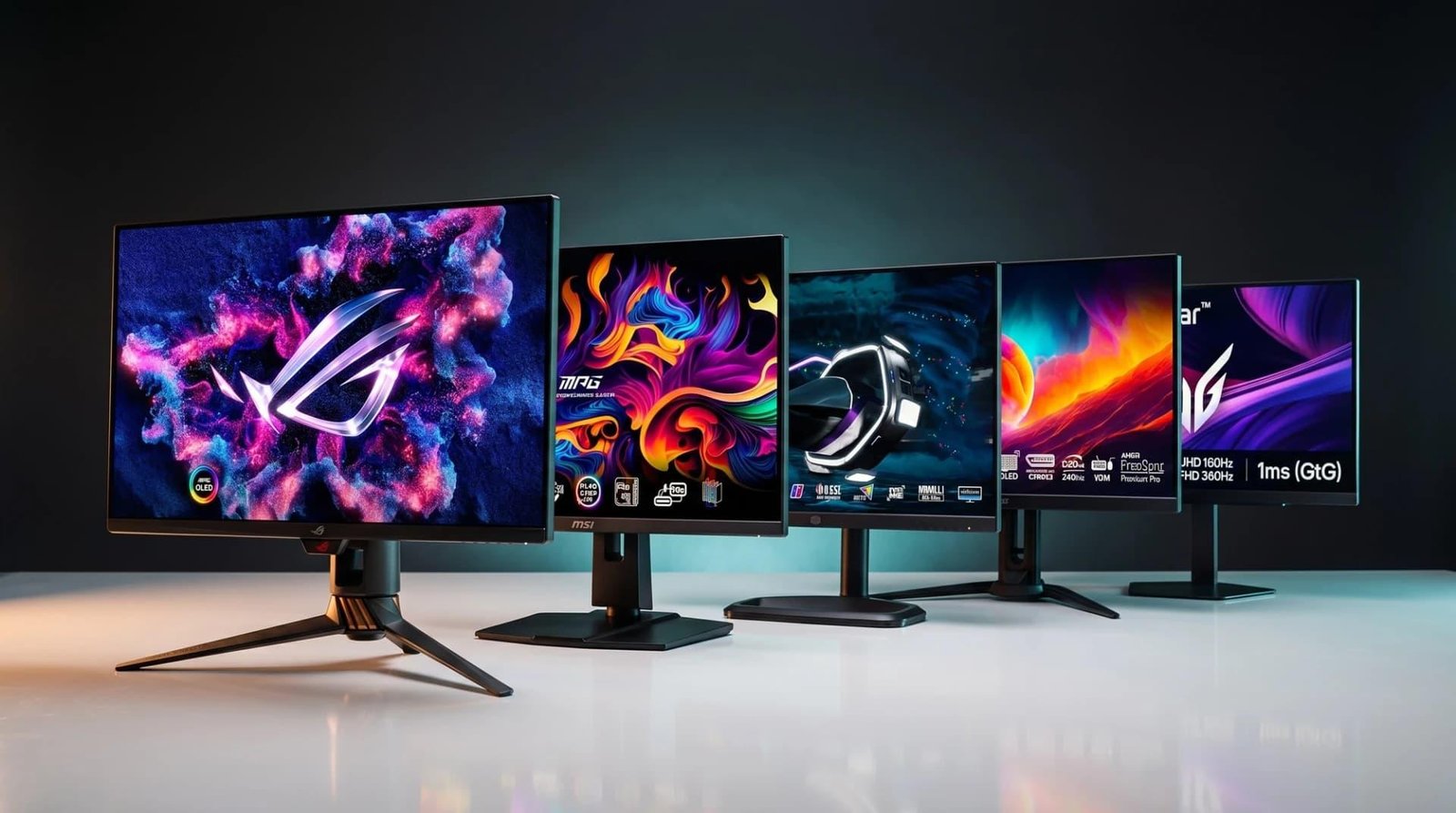
OLED vs. Mini-LED vs. IPS: Which Gaming Monitor Technology Is Best in 2026?
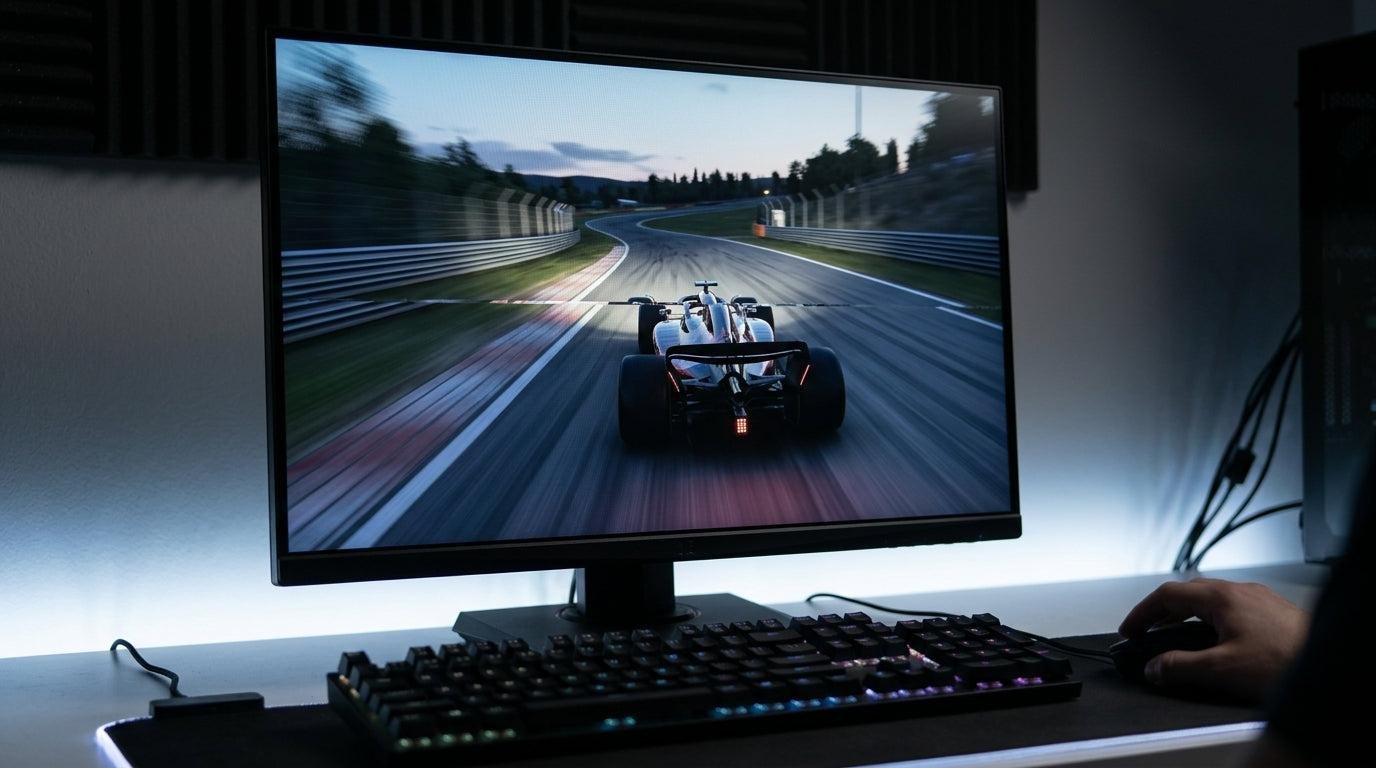
Choosing a gaming monitor in 2026 is not just about finding the highest refresh rate or the lowest response time. The display technology behind the screen can make a major difference in how your games look, how smoothly they run, and how much you enjoy playing them.
Three technologies dominate the conversation: OLED, Mini-LED, and IPS. Each has its own strengths, and the best choice depends on the games you play, your budget, your room’s lighting, and whether you care more about image quality, competitive performance, or long-term value.
OLED monitors are known for their exceptional contrast and near-instant pixel response. Mini-LED displays can deliver impressive HDR brightness and contrast without using an OLED panel. IPS monitors remain a popular choice for gamers who want good colors, fast refresh rates, and a more affordable upgrade.
So, which gaming monitor technology is actually worth buying in 2026?
In this guide, we’ll compare OLED vs. Mini-LED vs. IPS gaming monitors, examine their advantages and disadvantages, explain the differences that matter during real gameplay, and help you choose the right display for your setup.
OLED vs. Mini-LED vs. IPS: Quick Comparison
If you want the short answer, OLED is usually the best choice for contrast and motion clarity, Mini-LED is an excellent option for bright HDR gaming, and IPS offers some of the best value for everyday and competitive gaming.
| Feature | OLED | Mini-LED | IPS |
|---|---|---|---|
| Picture quality | Outstanding contrast and deep blacks | Excellent HDR on strong implementations | Good colors, weaker black levels |
| Black levels | Near-perfect | Very good, but local dimming can cause halos | Typically grayish in dark rooms |
| HDR performance | Excellent contrast; brightness varies by model | Often excellent peak brightness | Usually more limited |
| Response time | Typically the fastest pixel response | Depends on the underlying panel | Varies by model; fast IPS can be excellent |
| Motion clarity | Excellent | Good to excellent, depending on response time | Good to excellent on fast models |
| Refresh rates | High-refresh options available | High-refresh options available | Many high-refresh options |
| Burn-in risk | Possible with prolonged static content | No OLED-style burn-in mechanism | No OLED-style burn-in mechanism |
| Bright-room gaming | Good, depending on model | Often excellent | Good |
| Dark-room gaming | Excellent | Very good to excellent | Fair to good |
| Productivity | Excellent image quality, with static-content precautions | Strong all-round performance | Reliable for office work and gaming |
| Price | Often premium | Usually midrange to premium | Budget to premium |
| Best for | Immersion, contrast, competitive gaming | HDR, bright rooms, mixed gaming | Value, esports, everyday use |
Important: Mini-LED is a backlighting technology, not a panel type by itself. Many Mini-LED gaming monitors use IPS LCD panels, while others use VA or other LCD technologies. Their response times, viewing angles, and contrast performance can therefore differ.
1. OLED Gaming Monitors: The Best Choice for Contrast and Immersion?
OLED has become one of the most attractive display technologies for gamers who want a premium visual experience. Unlike an LCD monitor, which uses a backlight, an OLED display produces light at the individual pixel level.
That difference changes how games look. When a scene contains a dark sky, a shadowy corridor, or a star-filled background, OLED can switch individual pixels off to produce true black. Bright objects stand out against dark surroundings without the broad backlight glow often seen on LCD displays.
For games with detailed environments, cinematic lighting, and fast-moving action, the result can be genuinely impressive.
The biggest advantages of OLED
1. Exceptional contrast and black levels
OLED’s self-emissive pixels allow it to produce black without relying on a dimming zone. This is especially useful in horror games, atmospheric adventures, and cinematic single-player titles where lighting contributes to the experience.
2. Outstanding pixel response times
OLED pixels can change states extremely quickly. This helps reduce the visible trailing and smearing that can occur when objects move across the screen.
For competitive games such as first-person shooters, racing games, and fast-paced action titles, this can make motion look exceptionally clean. Remember, however, that pixel response time is not the same as input lag, and a monitor’s complete performance also depends on refresh rate, processing, and settings.
3. Excellent viewing angles
OLED generally maintains its image quality well when viewed away from the center. This is useful if you sometimes lean back, share your screen, or use a large ultrawide monitor.
4. Strong HDR contrast
OLED can display very dark areas alongside bright highlights without LCD-style blooming around those highlights. Peak brightness varies considerably between OLED models, so it is important to check independent measurements rather than assuming every OLED monitor performs identically.
The disadvantages of OLED
Burn-in remains a consideration. OLED pixels can wear unevenly when the same bright elements remain visible for long periods. Static desktop taskbars, persistent game HUDs, and fixed interface elements can contribute to image retention or permanent burn-in over time.
Modern OLED monitors often include panel maintenance features, pixel shifting, screen detection, and other protective measures. These features help manage risk but do not eliminate it completely.
OLED can also be expensive, especially in high-resolution, high-refresh-rate configurations. Some models have a glossy coating that produces distracting reflections in bright rooms, while certain matte finishes reduce reflections at the expense of a different perceived image texture.
Finally, sustained full-screen brightness can be lower than peak small-window brightness on some models. This means OLED may not always be the best option for a very bright room or a screen filled with predominantly white content.
Who should buy an OLED gaming monitor?
OLED is a strong choice if you:
- Play cinematic single-player games and want deep blacks.
- Care about motion clarity and fast pixel response.
- Watch films or stream content on the same monitor.
- Want premium HDR contrast.
- Are comfortable following basic panel-care recommendations.
It is less appealing if your monitor displays the same static content for many hours every day and you want to avoid any concern about burn-in.
2. Mini-LED Gaming Monitors: The Bright HDR Alternative
Mini-LED takes a different approach. Instead of using self-emissive pixels, it uses an LCD panel illuminated by a backlight made from many small LEDs. The backlight is divided into local dimming zones that can become brighter or darker depending on what appears on the screen.
The number of zones, their control algorithms, the LCD panel type, and the monitor’s overall implementation all affect the final picture.
A good Mini-LED monitor can produce bright highlights, convincing dark scenes, and impressive HDR effects. That combination makes the technology especially appealing for games with sunlight, explosions, glowing effects, and dramatic lighting.
The biggest advantages of Mini-LED
1. High HDR brightness
Mini-LED monitors can produce intense highlights, depending on the model. Bright explosions, sunlight, reflections, and other HDR effects can stand out dramatically.
This is one of Mini-LED’s biggest advantages over many OLED monitors, particularly when you play in a well-lit room or prefer a brighter overall image.
2. Better contrast than conventional LCD displays
Local dimming allows parts of the backlight to dim while other areas remain bright. This can improve black levels and contrast substantially compared with an LCD monitor that has little or no local dimming.
3. No OLED-style burn-in mechanism
Mini-LED monitors use an LCD panel and LED backlight, so they do not have the same organic pixel wear mechanism associated with OLED burn-in. This makes them attractive for mixed gaming, office work, browsing, and applications with persistent interface elements.
4. Excellent versatility
A well-designed Mini-LED monitor can work well for gaming, media consumption, productivity, and HDR content. It is often a practical compromise for someone who wants strong contrast and brightness without choosing OLED.
The disadvantages of Mini-LED
The biggest weakness is blooming, sometimes called the halo effect.
Because a local dimming zone can cover many LCD pixels, a small bright object on a dark background may illuminate more of the surrounding area than intended. Subtitles, a white mouse pointer, stars, and bright interface elements can reveal this effect.
More dimming zones and better algorithms can reduce blooming, but they cannot guarantee its complete elimination.
Mini-LED performance also varies widely. A monitor with a large number of dimming zones and effective control can look dramatically better than a cheaper model with fewer zones or less precise dimming.
Another consideration is motion performance. Mini-LED describes the backlight, not the pixel response characteristics of the LCD panel. Some models are fast and clear, while others exhibit more ghosting or smearing. You should evaluate the specific monitor rather than assuming every Mini-LED display is equally responsive.
Who should buy a Mini-LED gaming monitor?
Mini-LED makes sense if you:
- Play HDR games and want bright highlights.
- Use your monitor in a brightly lit room.
- Spend significant time working with static desktop content.
- Want stronger contrast than a typical LCD monitor.
- Prefer to avoid OLED-specific burn-in concerns.
It is especially attractive to gamers who want one monitor for gaming, movies, and everyday computer use.
3. IPS Gaming Monitors: The Best Value for Many Gamers
IPS stands for In-Plane Switching. It is a type of LCD panel technology that has long been popular because it offers good color reproduction and wide viewing angles.
IPS monitors are available across a broad range of prices, resolutions, sizes, and refresh rates. You can find affordable models for everyday gaming as well as premium displays designed for competitive esports.
The main reason to consider IPS is simple: you can get a very capable gaming monitor without paying for premium OLED hardware or a sophisticated Mini-LED backlight.
The biggest advantages of IPS
1. Excellent value
IPS is available at many price points. Gamers can often find 1080p or 1440p high-refresh-rate monitors that deliver responsive gameplay without stretching their budgets.
This makes IPS particularly appealing to players building a complete gaming setup who also need to budget for a graphics card, processor, storage, and peripherals.
2. Strong color reproduction
Many IPS monitors deliver attractive colors and good viewing angles. More expensive models may also offer wide color gamuts and factory calibration suitable for creative work.
However, color quality depends on the specific monitor. IPS technology alone does not guarantee accurate colors or professional-grade calibration.
3. Plenty of high-refresh-rate options
IPS monitors are available with high refresh rates suitable for competitive games. Combined with a well-tuned response time and variable refresh rate support, a good IPS display can provide a smooth, responsive experience.
4. No OLED-style burn-in concern
IPS LCD panels do not use organic self-emissive pixels, so they do not have the same burn-in mechanism as OLED. That can be reassuring if you work, study, browse, and game on the same screen for long periods.
The disadvantages of IPS
The biggest weakness is contrast. Conventional IPS displays generally cannot produce the deep blacks of OLED, and dark scenes may look grayish in a dim room.
Some IPS monitors also exhibit IPS glow, which can appear as a glow in dark corners or edges when viewed in a dark environment. Its visibility depends on the panel, viewing angle, brightness, and room conditions.
HDR is another limitation. Many standard IPS monitors lack the brightness, local dimming, and contrast needed to deliver a convincing HDR experience. Premium IPS monitors with Mini-LED backlighting can perform much better, but those should be evaluated as Mini-LED LCD implementations rather than as ordinary IPS displays.
Finally, not every IPS monitor has excellent motion handling. Budget models can exhibit noticeable ghosting, overshoot, or other response-time issues. Check independent reviews for measured performance instead of relying on a manufacturer’s advertised response-time figure alone.
Who should buy an IPS gaming monitor?
IPS is an excellent option if you:
- Want a good gaming monitor at a reasonable price.
- Play competitive games and prioritize high refresh rates.
- Need a display for work, school, browsing, and gaming.
- Prefer not to worry about OLED burn-in.
- Are upgrading from an older 60Hz or 75Hz monitor.
For many budget-conscious gamers, a well-chosen IPS monitor offers a better overall upgrade than spending the entire budget on a premium display technology.
4. OLED vs. Mini-LED vs. IPS: Advantages and Disadvantages
The table below summarizes the main strengths and weaknesses of each technology.
| Technology | Advantages | Disadvantages |
|---|---|---|
| OLED | True blacks, outstanding contrast, excellent pixel response, immersive HDR | Potential burn-in, premium pricing, brightness varies by model |
| Mini-LED | Strong HDR brightness, improved LCD contrast, no OLED-style burn-in | Possible blooming, performance varies by dimming zones and implementation |
| IPS | Broad price range, good viewing angles, capable high-refresh options, versatile for daily use | Weaker native contrast, possible IPS glow, standard models often have limited HDR |
There is no universal winner. OLED tends to excel at contrast and pixel response, Mini-LED at bright HDR performance, and IPS at affordability and versatility.
The right choice depends on which disadvantages you are most willing to accept.
5. Which Monitor Technology Is Best for Competitive Gaming?
For competitive gaming, refresh rate and motion clarity often matter more than cinematic picture quality.
A higher refresh rate allows the monitor to display more frames per second when the computer or console can supply them. The difference between 60Hz and 144Hz is substantial for many players, while moving from 144Hz to 240Hz or higher may be more useful to competitive players who can consistently reach those frame rates.
OLED has an advantage in pixel response time, which can help moving objects remain clearer. High-refresh-rate OLED monitors are therefore attractive to players who want both speed and excellent image quality.
However, OLED is not automatically the best esports monitor for every player. A fast IPS monitor can offer excellent motion handling and may cost considerably less. If your priority is competitive performance rather than black levels or HDR, the money saved on IPS could be put toward a stronger graphics card or a more powerful CPU.
Mini-LED can also perform well in competitive games, but the underlying LCD panel’s response time and tuning matter more than the presence of Mini-LED backlighting.
My recommendation: Choose OLED if you want premium motion clarity and can comfortably afford it. Choose fast IPS if you want competitive performance at a more accessible price.
6. Which Is Best for HDR Gaming?
HDR stands for High Dynamic Range. It is designed to display a wider range between dark and bright image details, helping supported games look more realistic and visually dramatic.
Mini-LED is often an excellent option for HDR gaming because its local dimming backlight can deliver strong highlights while darkening other parts of the image.
OLED offers a different strength: it can maintain exceptionally deep blacks next to bright objects without the LCD-style halos caused by local dimming zones. This can make nighttime scenes, stars, and small luminous objects look especially impressive.
Standard IPS monitors are generally the least compelling choice for HDR unless they include effective local dimming and sufficient brightness.
| HDR consideration | OLED | Mini-LED | Standard IPS |
|---|---|---|---|
| Black detail | Excellent | Very good to excellent | Usually limited |
| Small bright highlights | Excellent contrast around highlights; brightness varies | Often very bright, but halos may appear | Usually less impressive |
| Large bright scenes | Model-dependent | Often a strong point | Usually more limited |
| Dark-room immersion | Excellent | Very good on strong implementations | Fair to good |
| Best reason to choose it | Pixel-level contrast | Bright, impactful HDR | Budget-friendly everyday use |
Buying tip: Do not choose an HDR monitor based only on the words “HDR” or “HDR compatible” in its specifications. Look for independent brightness measurements, local dimming performance, contrast, and real-world HDR testing.
7. OLED vs. Mini-LED vs. IPS for PS5, Xbox, and PC Gaming
The best technology also depends on the platform you use.
PC gaming
PC gamers have the widest range of choices. Depending on the graphics card and games you play, you can prioritize 1440p at a high refresh rate, 4K gaming, ultrawide immersion, or extreme competitive performance.
OLED is a strong premium choice for gamers who want a combination of fast pixel response and impressive visuals. Mini-LED is appealing for HDR-focused gaming and brighter environments. IPS remains a sensible option for affordable high-refresh-rate gaming.
Before buying, check the monitor’s supported resolution and refresh rates, DisplayPort and HDMI specifications, adaptive-sync support, and any bandwidth limitations.
PlayStation 5
PS5 gamers should check for HDMI 2.1 support when they want compatible 4K high-refresh-rate features, including 4K at 120Hz in supported games and configurations.
OLED is excellent for cinematic console games. Mini-LED can be a great alternative for bright HDR gameplay, while IPS can provide a lower-cost route to a capable gaming setup.
Remember that a monitor’s advertised maximum refresh rate does not automatically mean every console resolution and refresh-rate combination is supported.
Xbox Series X and Series S
Xbox players should confirm the monitor supports the resolution and refresh-rate modes they intend to use. HDMI support, variable refresh rate, and the monitor’s compatibility with the console are all worth checking.
OLED, Mini-LED, and IPS can all work well with Xbox. Your budget, room lighting, and preference for HDR or competitive play should guide the final decision.
8. Which Gaming Monitor Technology Lasts the Longest?
Durability depends on the individual monitor, usage patterns, operating temperature, and quality of the electronics. Nevertheless, there are some useful differences.
IPS and Mini-LED LCD monitors do not share the same organic pixel wear and burn-in mechanism as OLED displays. That makes them appealing for users who display static images for long periods.
OLED monitors can last for years, but uneven pixel wear is a consideration. Users who regularly display the same taskbar, game HUD, spreadsheet, or application interface should take advantage of the manufacturer’s panel-care recommendations.
To get the most out of any gaming monitor:
- Avoid unnecessarily high brightness in a dark room.
- Keep firmware updated when the manufacturer provides relevant improvements.
- Use built-in sleep and screen-off settings when appropriate.
- Follow the monitor manufacturer’s cleaning and maintenance instructions.
- Review the warranty carefully, including whether OLED burn-in is covered and under what conditions.
Do not assume that every OLED monitor has the same warranty or that every LCD monitor is automatically more reliable in every respect. Warranty terms and model quality matter.
9. What Resolution and Refresh Rate Should You Choose?
Display technology is only one part of the buying decision. Resolution and refresh rate can have an equally noticeable impact on your gaming experience.
| Gaming setup | Practical starting point | Technology to consider |
|---|---|---|
| Entry-level PC | 1080p, 144Hz–180Hz | IPS |
| Midrange gaming PC | 1440p, 165Hz–240Hz | IPS or OLED |
| Premium gaming PC | 1440p or 4K, 240Hz-class options where available | OLED or premium Mini-LED |
| HDR-focused gaming | 1440p or 4K, depending on GPU and budget | Mini-LED or OLED |
| Console gaming | 4K or 1440p with compatible 120Hz support | OLED, Mini-LED, or IPS |
| Office and gaming combination | 1440p or 4K at a comfortable refresh rate | IPS or Mini-LED |
These are starting points rather than strict rules. Availability, pricing, graphics-card performance, and supported game modes vary.
A 4K monitor has more pixels to render than a 1440p monitor, so achieving high frame rates at 4K can require substantially more GPU performance. A well-balanced 1440p gaming monitor may therefore be a better choice than a 4K model if your hardware cannot drive the higher resolution comfortably.
10. How to Choose the Best Gaming Monitor Technology in 2026
Before making a purchase, ask yourself five questions.
What games do you play most?
If you spend most of your time in competitive shooters, a fast IPS or OLED monitor may be ideal. If you play cinematic adventures and horror games, OLED’s contrast can make a major difference. For bright HDR-heavy games, a good Mini-LED display deserves serious consideration.
How bright is your room?
A bright room often favors a monitor with strong brightness and effective reflection handling. Mini-LED can be especially attractive here, although IPS and OLED models can also work well depending on their brightness and screen finish.
How much can you spend?
Do not assume that buying the most expensive technology automatically gives you the best experience. A good IPS monitor with a high refresh rate may provide a more meaningful upgrade than a premium OLED monitor paired with hardware that cannot deliver the frame rates you want.
Will you use the monitor for work?
If your screen displays static spreadsheets, browser tabs, and application interfaces for many hours, IPS or Mini-LED may be the more comfortable choice from a burn-in-risk perspective. OLED remains usable for mixed workloads, but its panel-care requirements are worth understanding.
Do you care more about brightness or black levels?
If you want deep blacks and exceptional contrast, OLED is the natural contender. If you prefer bright highlights and strong HDR performance, Mini-LED may suit you better. If you want an affordable, versatile screen, IPS is difficult to overlook.
Final Thoughts: OLED vs. Mini-LED vs. IPS—Which Is Best?
After comparing the three technologies, the best gaming monitor is the one that matches your games, budget, room, and daily usage.
Choose OLED for the best overall visual experience. Its pixel-level control, near-perfect blacks, and fast response make it an outstanding choice for immersive gaming and premium high-refresh-rate setups. Just understand the potential for burn-in and compare the brightness and warranty of individual models.
Choose Mini-LED for bright HDR gaming and versatility. It can combine high brightness with impressive contrast and is particularly attractive for well-lit rooms. Its main drawback is the potential for blooming, which varies according to the number of dimming zones and the quality of the implementation.
Choose IPS for value and everyday gaming. A well-reviewed IPS monitor can deliver excellent refresh rates, good colors, and responsive gameplay without requiring a premium budget. Its weaker contrast is the main compromise, especially in dark rooms.
If money is no object and you want a premium gaming experience, start by comparing OLED and high-quality Mini-LED monitors. If you want the best performance for your money, do not overlook IPS.
Before you buy, compare independent response-time tests, brightness measurements, HDR performance, input lag, warranty coverage, and the actual price of the model you are considering. The panel technology matters, but the quality of the monitor itself matters just as much.
Frequently Asked Questions
Is OLED better than Mini-LED for gaming?
OLED is generally better for pixel-level contrast, black levels, and pixel response time. Mini-LED can be better for high-brightness HDR gaming and may be preferable for users concerned about OLED burn-in. The better choice depends on your priorities and the specific monitor models.
Is Mini-LED better than IPS?
Mini-LED can deliver much stronger contrast and HDR performance than a conventional IPS monitor because it uses local dimming. However, many Mini-LED monitors also use IPS panels, so the comparison is not always between two separate panel technologies. A high-quality fast IPS display may also outperform a poorly implemented Mini-LED monitor in motion handling.
Do OLED gaming monitors suffer from burn-in in 2026?
Burn-in remains possible with OLED technology. Modern protection features can help reduce the risk, but they cannot guarantee that it will never occur. Follow the manufacturer’s recommendations and review the warranty before buying.
Is IPS good enough for competitive gaming?
Yes. A fast IPS monitor with a high refresh rate and well-tuned response times can be excellent for competitive gaming. OLED may offer faster pixel transitions, but IPS can provide strong performance at a lower price.
Which monitor technology is best for HDR?
Both OLED and Mini-LED can deliver excellent HDR, but they achieve their strengths differently. OLED offers pixel-level black control and avoids LCD-style blooming, while Mini-LED often delivers brighter highlights. Standard IPS monitors without effective local dimming are usually less impressive for HDR.
Is OLED worth the extra money?
OLED can be worth the premium if you value deep blacks, immersive picture quality, and excellent motion clarity. If your main goal is a smooth, affordable competitive gaming setup, a well-reviewed IPS monitor may offer better overall value.
Should I buy a 4K IPS monitor or a 1440p OLED monitor?
Choose 4K IPS if you value higher resolution, sharp text, and everyday versatility. Choose 1440p OLED if you prefer contrast, motion clarity, and immersive gaming visuals. Also consider your graphics card: 1440p is generally easier to drive at high frame rates than 4K.
What is the best gaming monitor technology for 2026?
There is no single winner for every gamer. OLED is a leading choice for premium contrast and motion clarity, Mini-LED is excellent for bright HDR performance, and IPS remains a strong choice for value and competitive gaming. Compare actual monitor reviews and specifications before deciding.
————————————————————————————————————————————
Check out the Best gaming monitor technology in 2026